The Details
Role
Lead UX Designer
Team
Design, PM, EM, QE, 5 Engineers
Timeline
May - June 2025
Tools
Figma, Confluence, Product Board, Zoom
We aimed to build a new feature that would allow users to copy full Company Stores, known as “sites” in the application. Our goal is straightforward: to enable easier store building capabilities in Company Stores, resulting in more company stores, higher monthly recurring revenue, and increased customer delight.
Overview
How might we allow users to more quickly get stores up and running, by copying over the most time-consuming elements of a store build, and excluding elements that would create friction in the store-copy process.
The Challenge
The Solution
We created a “copy store” icon button that integrated seamlessly with established UI, and as a result:
Simplified Initial Store Build
Streamlined and Sped Up Building
Increased Revenue from Company Stores
Discovery & Research
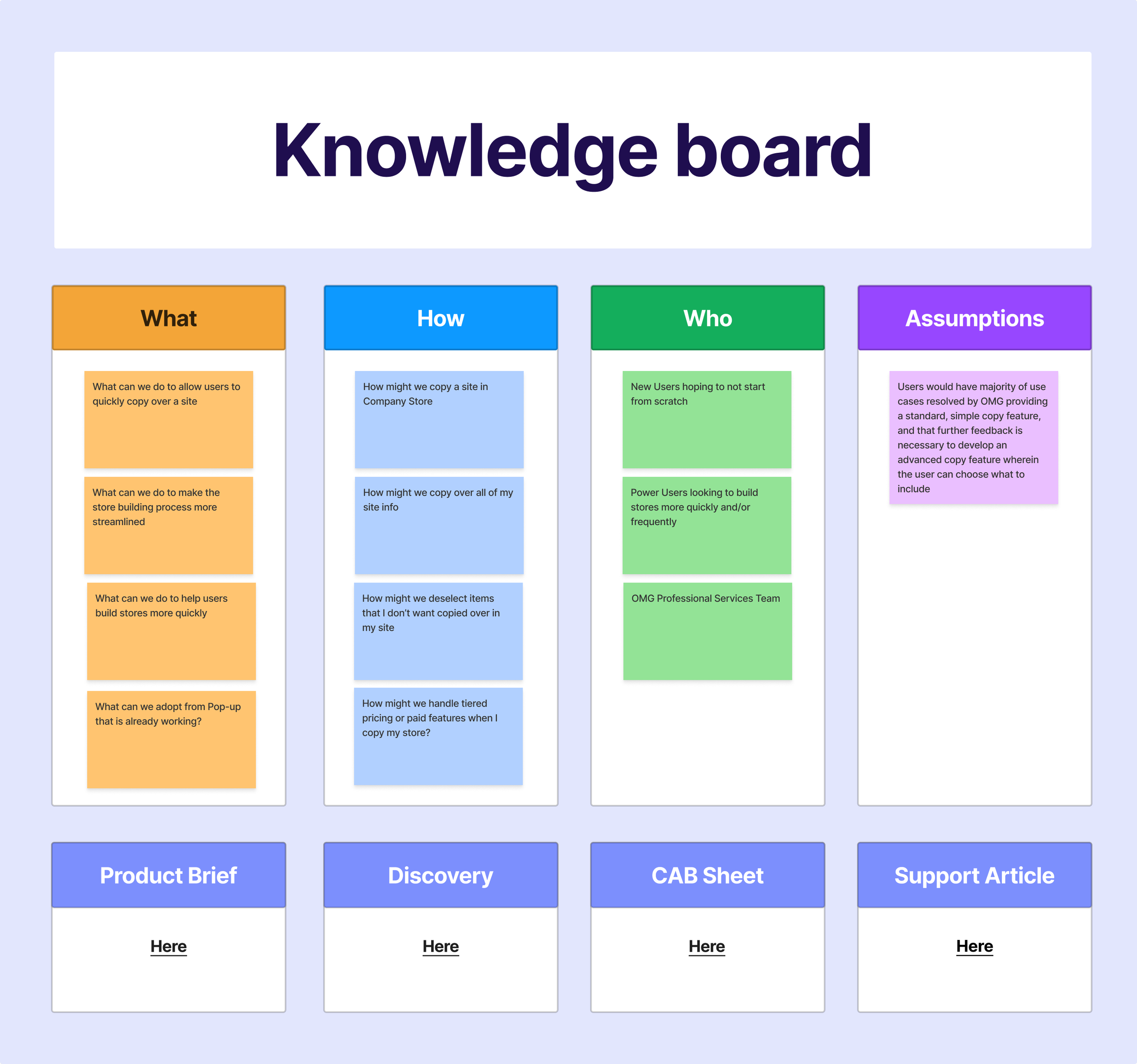
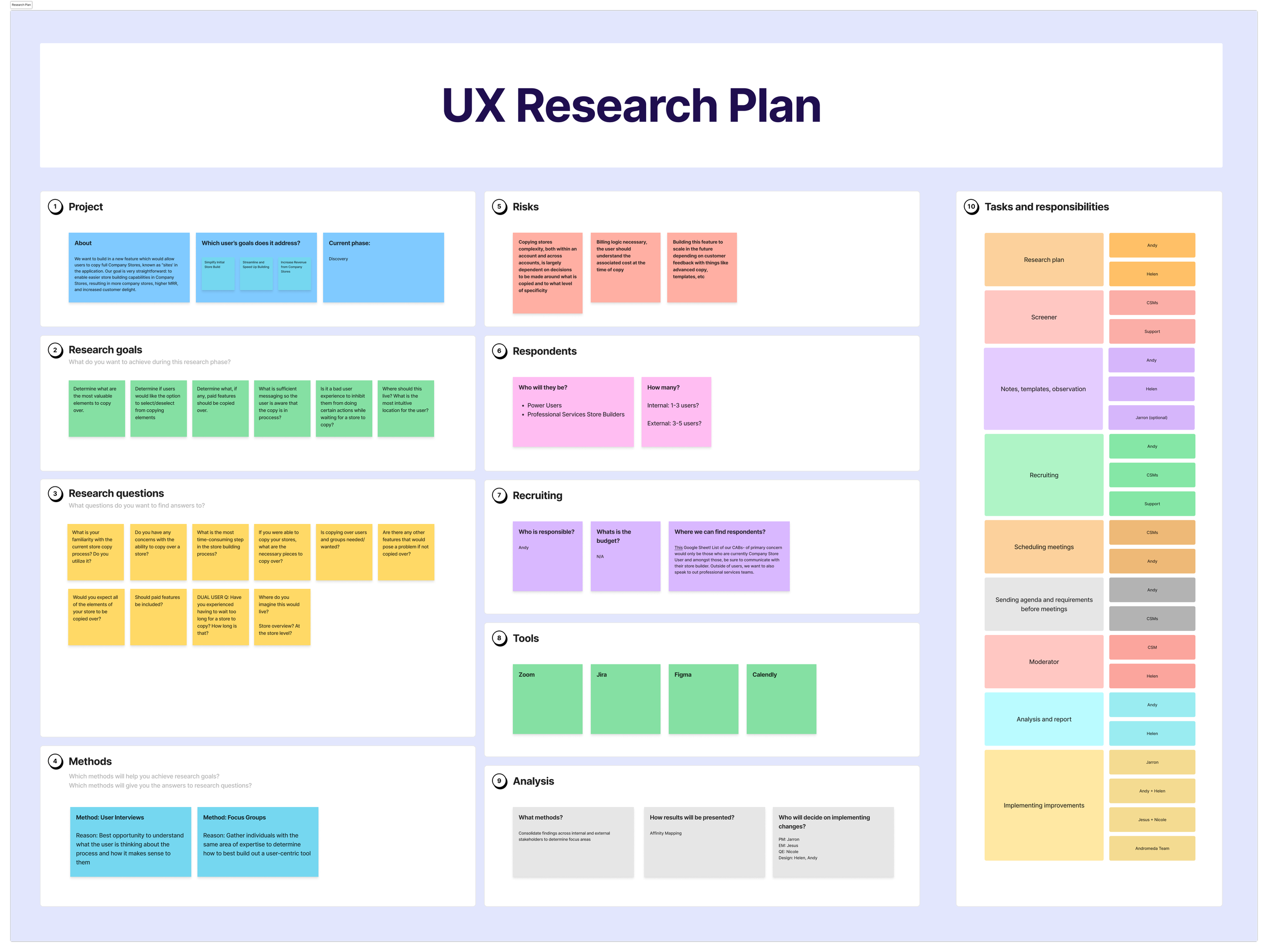
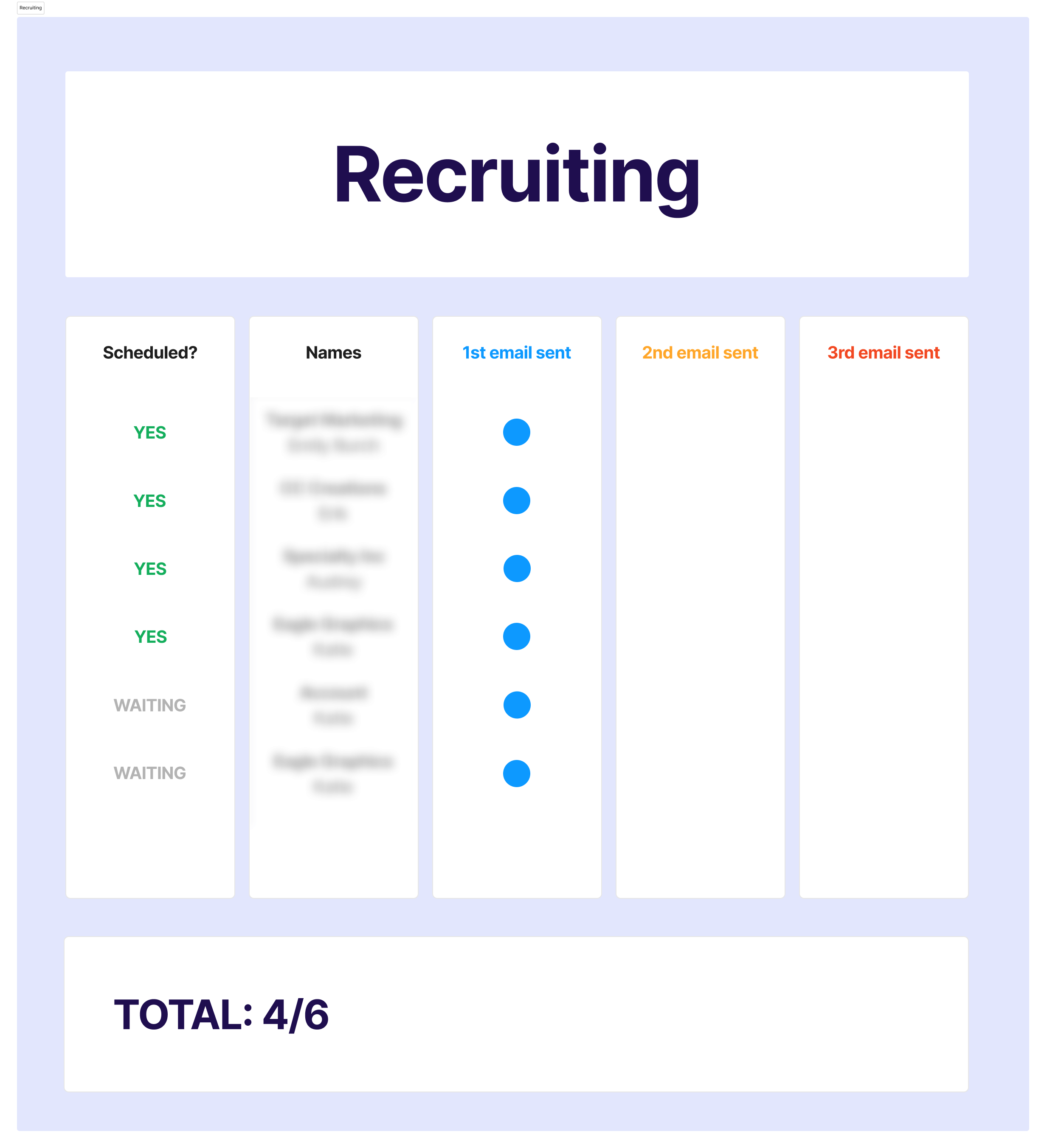
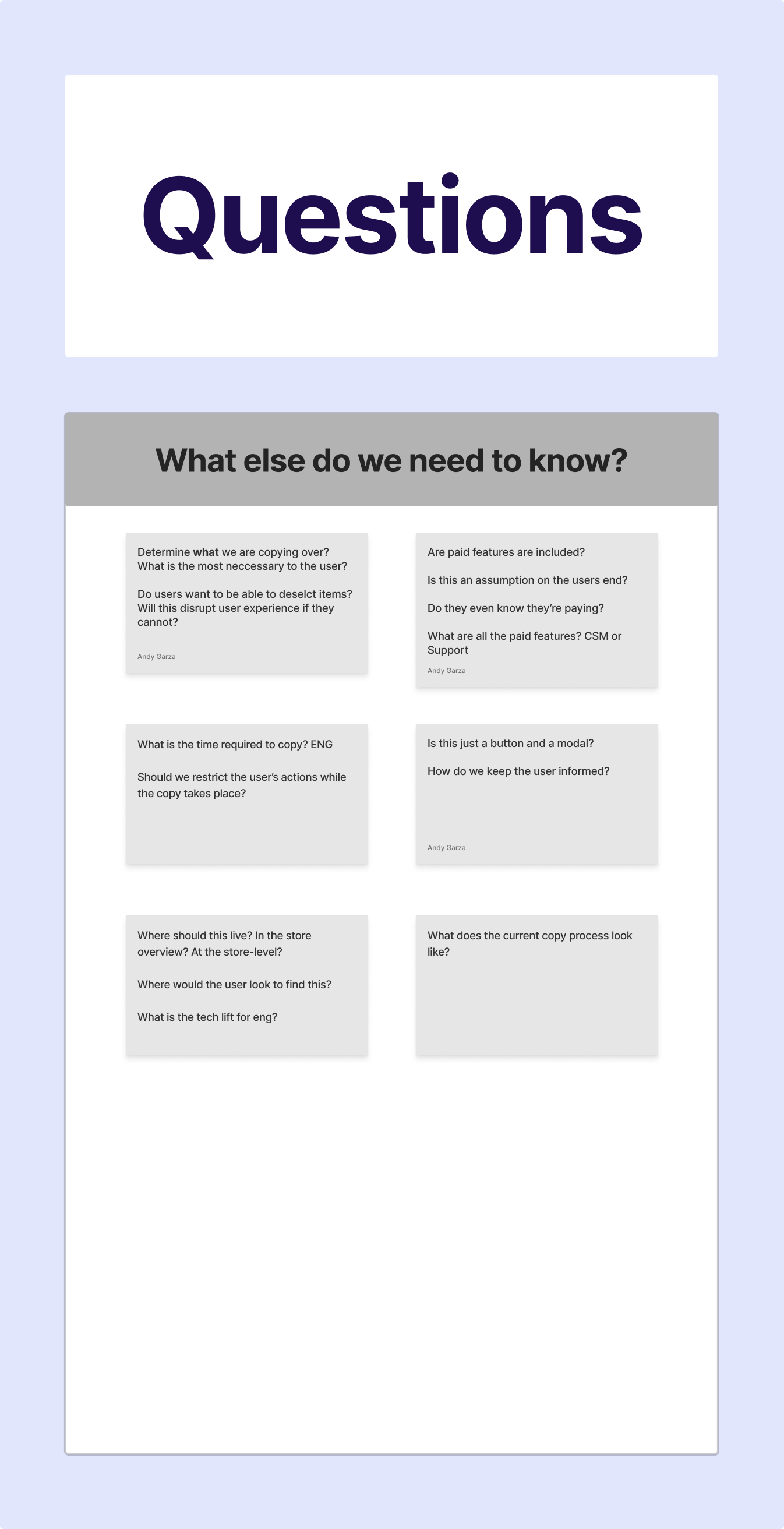
I began the research process by laying out any questions I had regarding the “store copy” functionality so that I was well informed ahead of user interviews. I spent time in the Company Stores application and learned that users were currently able to “copy” their stores, however, it required the employment of our Store Creation Specialist team as it was a complicated process that required engineering-level tech literacy to accomplish. I first began outreach with internal stakeholders to learn the pain points of internal users, as well as hear from them what the most commonly reported user complaints were. During internal stake-holder interviews, I also developed a plan with our Client Success and Support teams to recruit users for interviews.
Research Plan
Internal Stake Holder Interviews
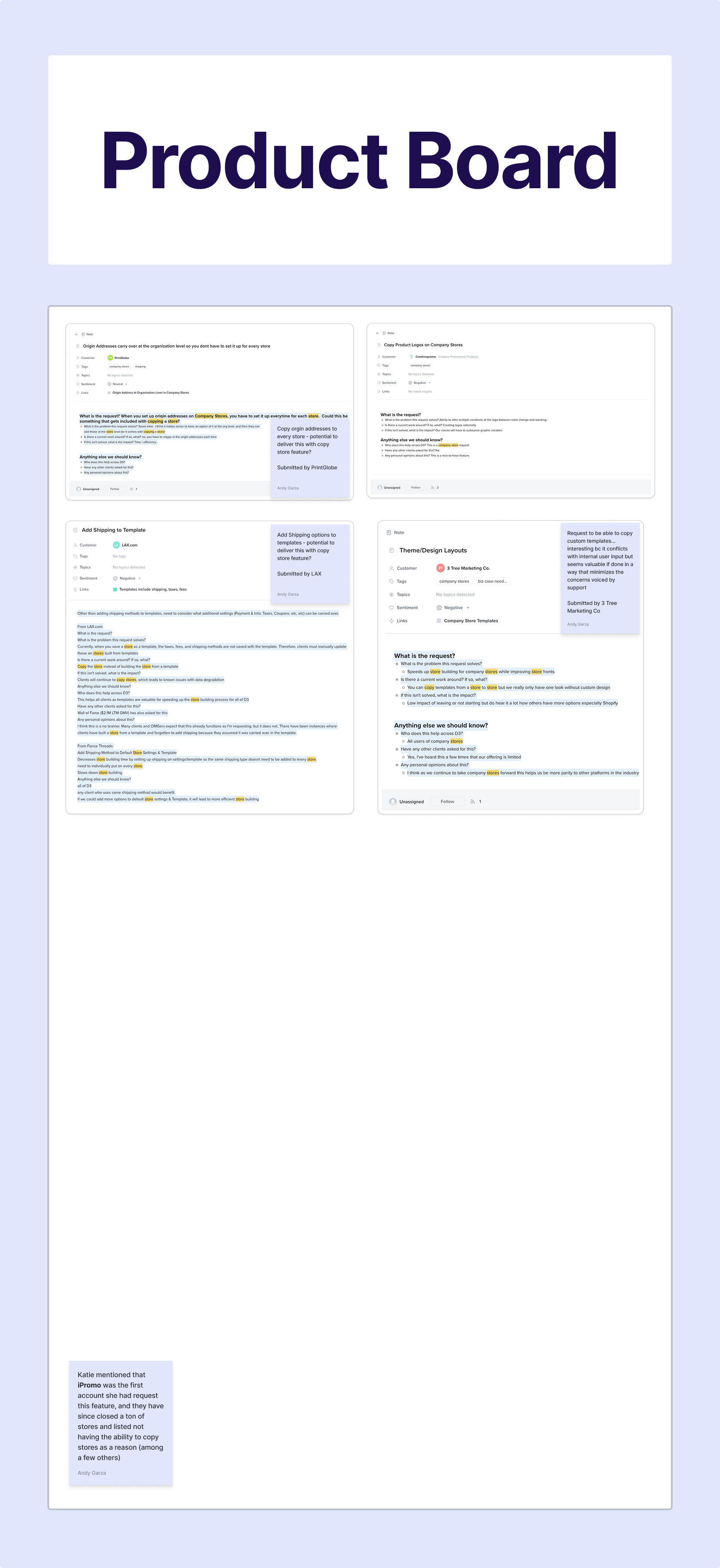
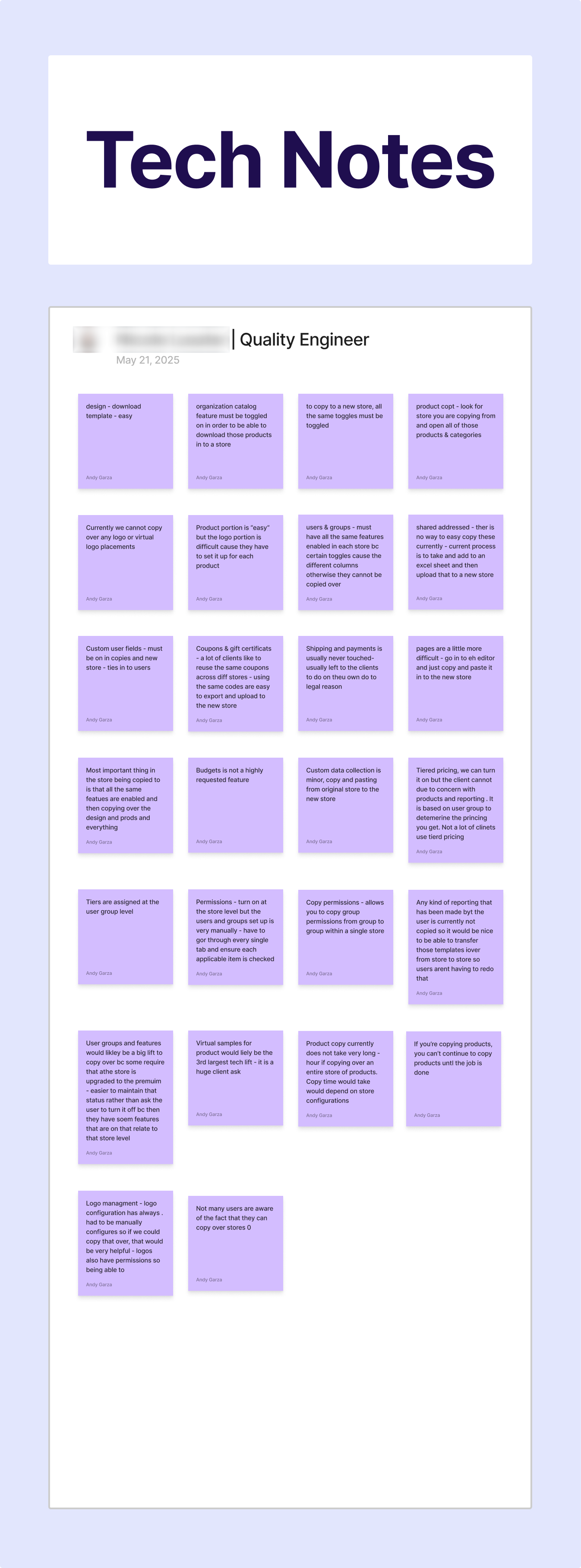
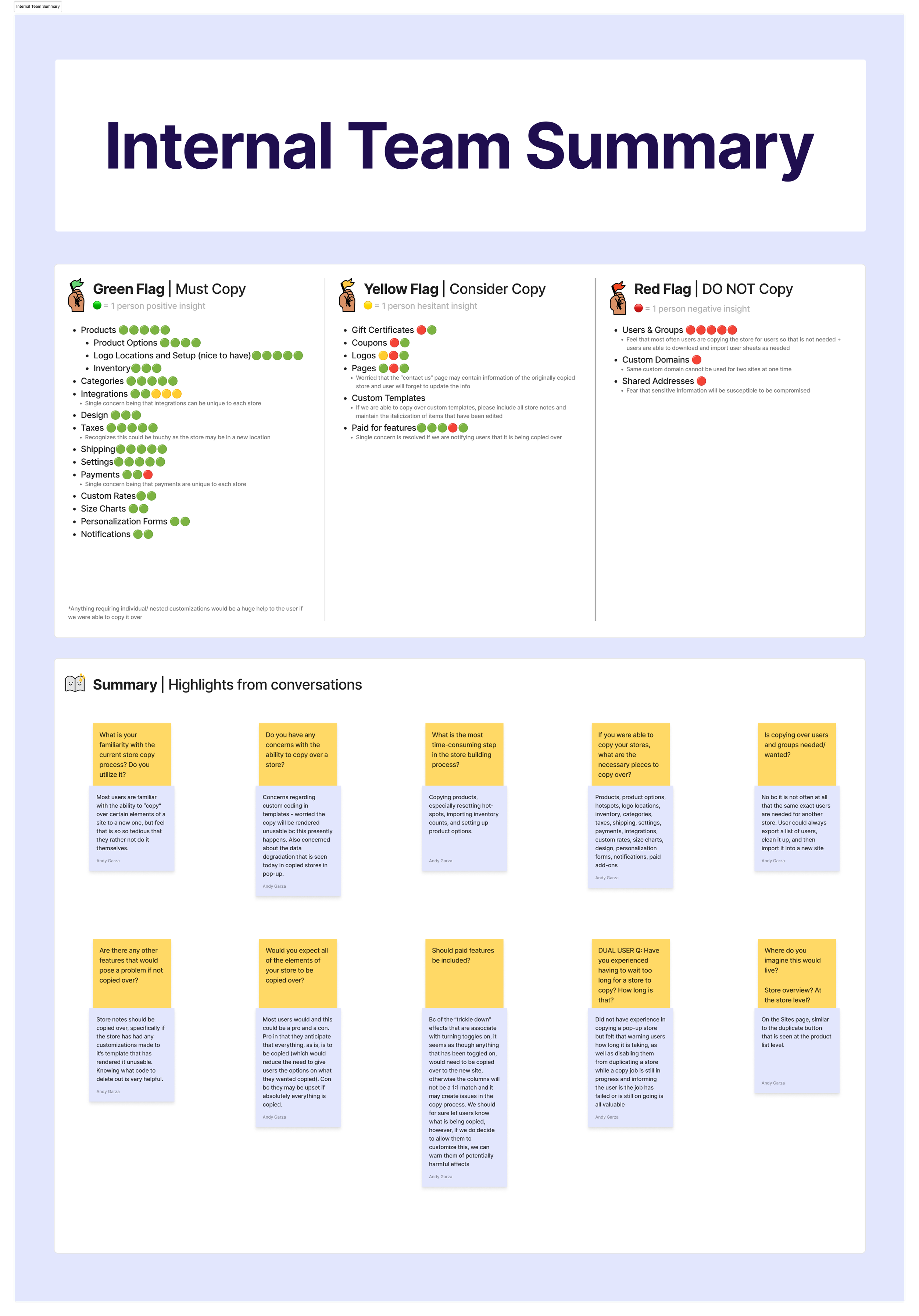
I kicked off internal user interviews by speaking first to a Quality Engineer to better understand the potential technical limitations of a “Copy Store” functionality in Company Stores. Through this, I developed a better understanding of the current process for “copying” a store and learned that it was a large technical burden for our teams to execute. Additionally, I learned about features in Company Stores that, due to security concerns, or technical restrictions, could not be copied over. Following this, I met with members of our Store Creation, Customer Support, and Onboarding teams to hear first hand the issues they most commonly hear from users regarding the most timely, and least intuitive steps of the store build. I consolidated the findings in to a summary and mapped the occurrences of the most requested features to copy, the “maybes“ that should be taken in to consideration, and the “absolute no” features that should not be included. I determined these would be the features I would compare against user requests to analyze where there the most overlap occurred.
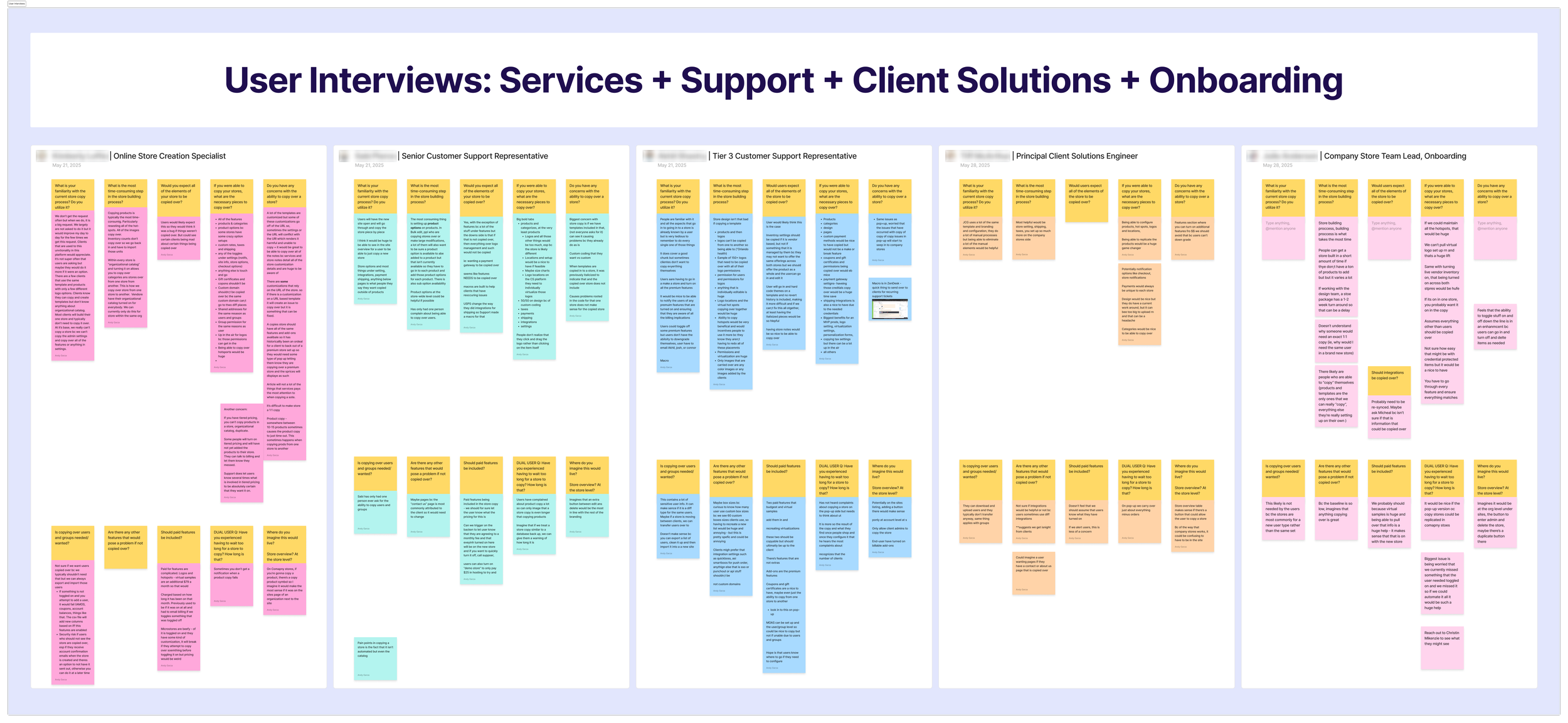
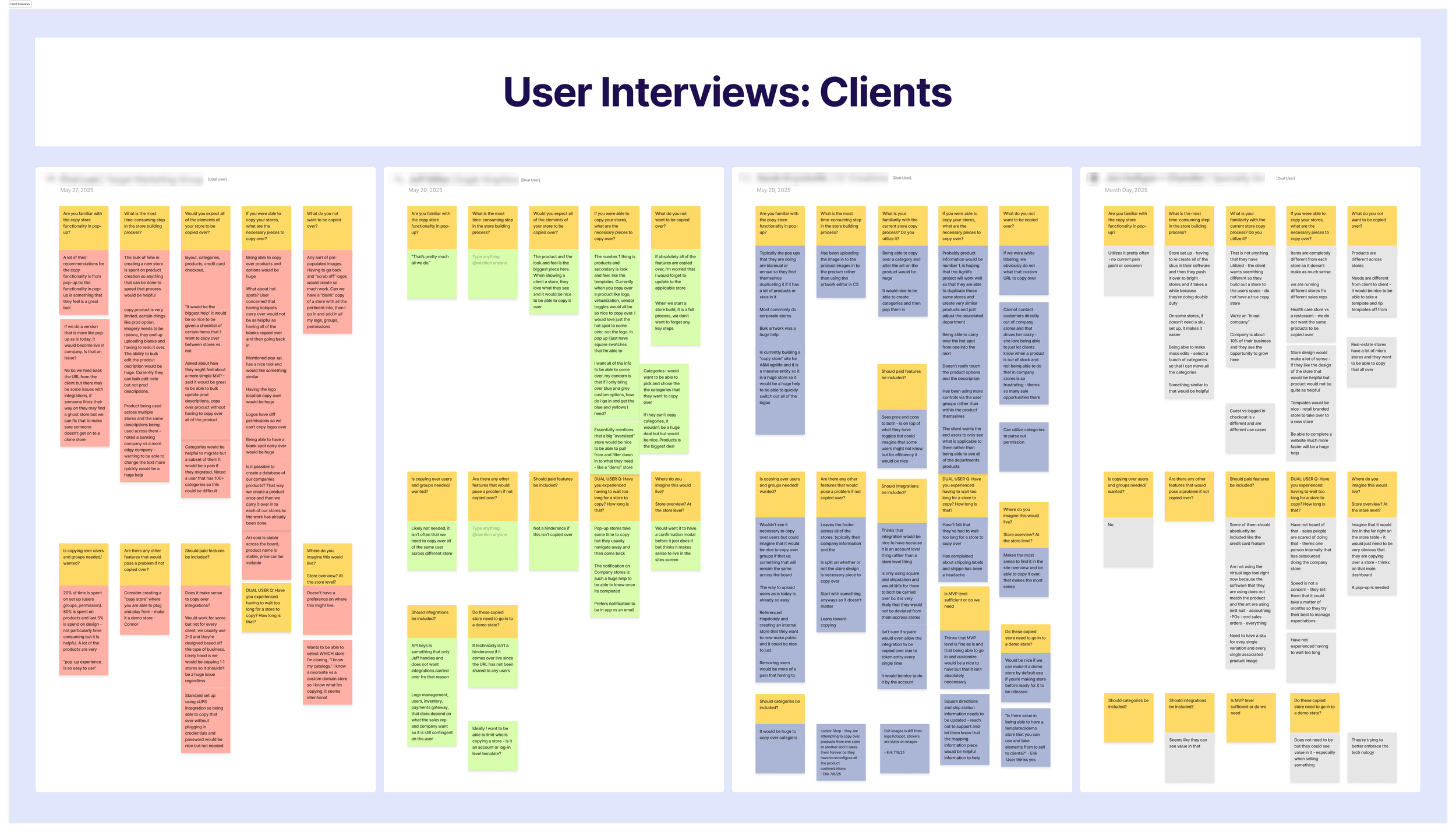
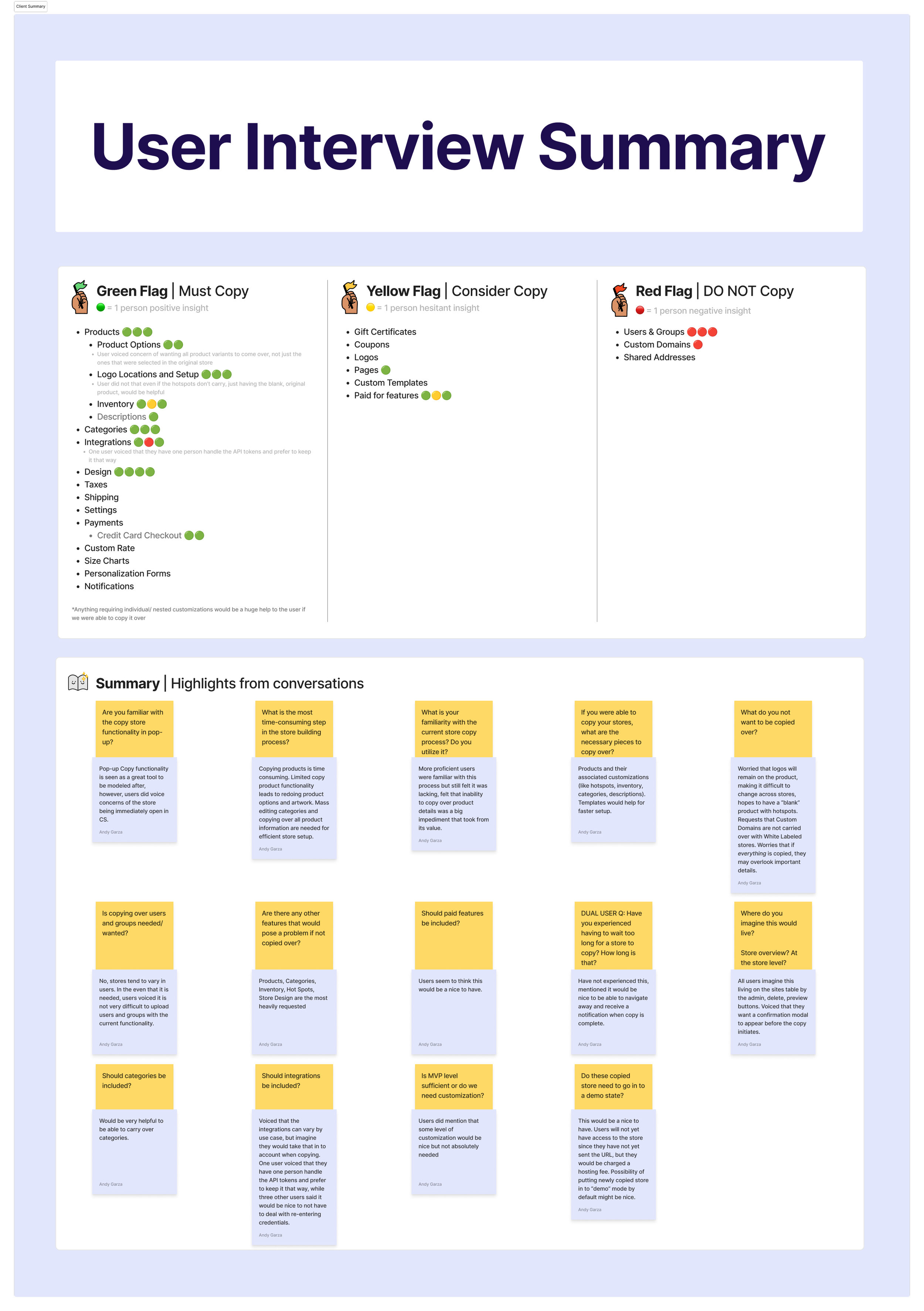
OrderMyGear offers two store solutions: Pop-up and Company Stores. The Pop-up application already had a “copy store” feature available, so we prioritized users that had accounts in both the Pop-up and Company Store applications so that we could leverage their knowledge of the Pop-up “copy store” feature to determine areas of improvement. In speaking with users, we were surprised to learn that their feature requests were much simpler and straight-forward than our internal-stakeholders had imaged. The most time consuming steps in getting their stores up and running were adding products to their store, creating the artwork locations that were placed on those products, maintaining product inventory and category selections, and persisting any customizations made to the store design. Following the consolidation of the user feedback, I began to ideate on the most intuitive solution for the “store copy” functionality.
User Interviews
Ideation
We needed to leverage the user’s knowledge to create a solution that would be intuitive to users.
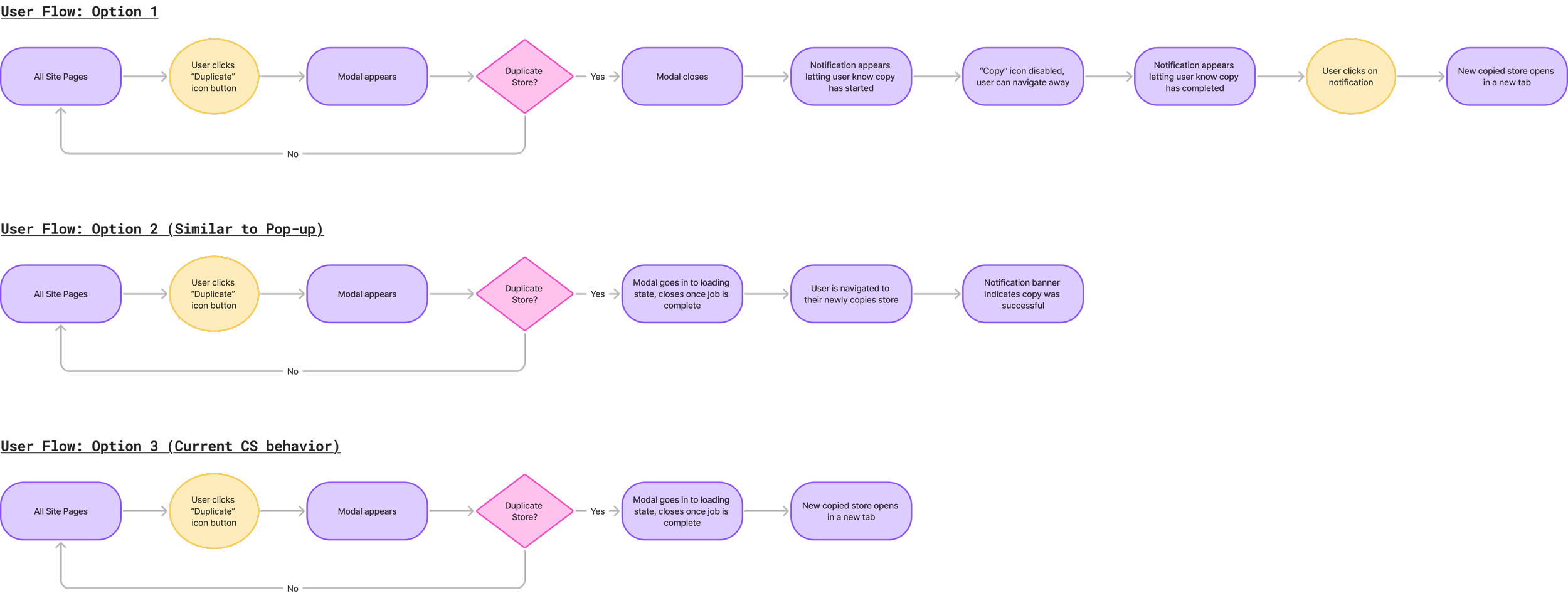
Option 1 allowed users to initiate a store copy, navigate away from the copy so that they could continue to work within the Company Store platform, and receive a notification once the store copy job was completed. This leveraged behavior Company Store users were already accustomed to. This was the least disruptive to the user experience, and thus the most favorable solution.
Option 2 allowed users to copy a store, but they would be redirected to a modal that would indicate to the user that the store copy was in progress. They could not navigate away until the store copy was completed. Upon completion, the modal would close and the user would immediately be redirected to their new store. This experience mimicked the Pop-up store copy experience and favored the experience of a dual-account user, however it was disruptive to the user experience as users could not continue to work on other areas of the platform.
Option 3 allowed users to copy a store and they would be redirected to a modal that did not close until the store copy had completed. Upon completion, the newly copied store would open in a new tab. While opening the store copy in a new tab was favorable to being completely redirected, it still disrupted the user experience by not allowing users to navigate away during the duration of the store copy.
We moved forward with option 1 after learning there were no technical limitations refraining us from moving forward.
User Flows
Design
High Fidelity
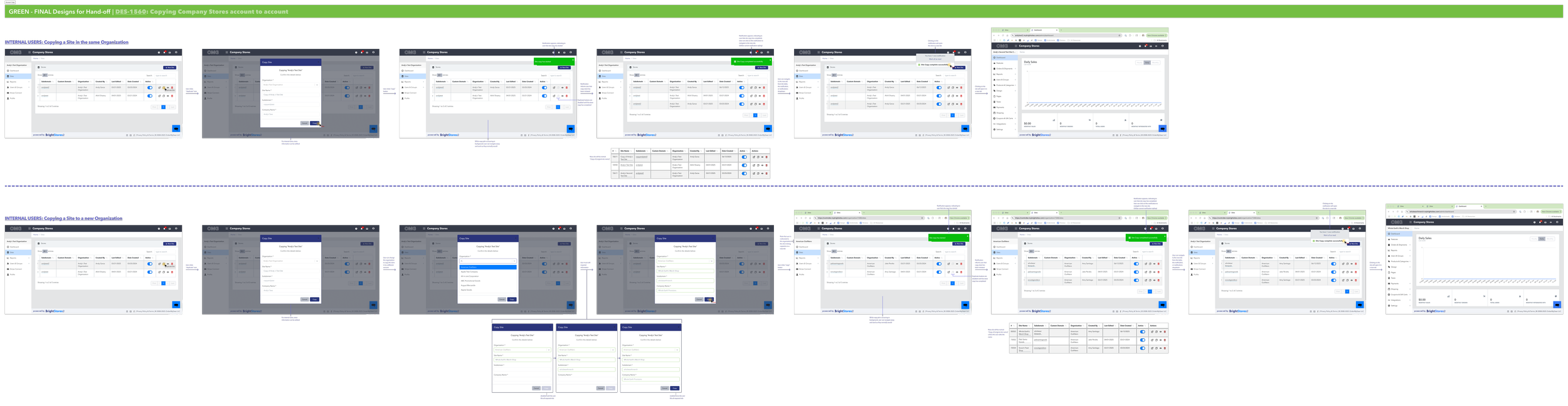
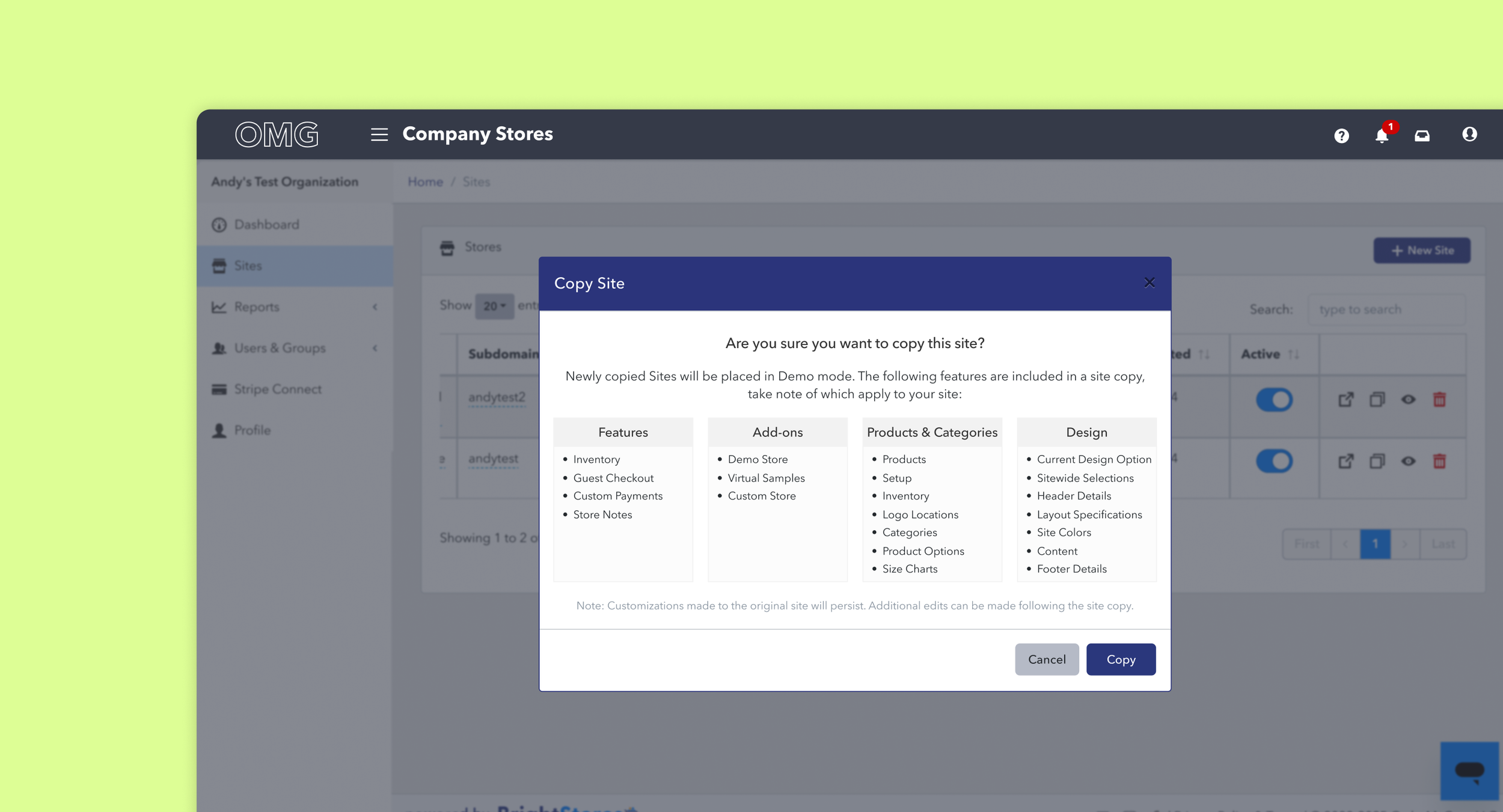
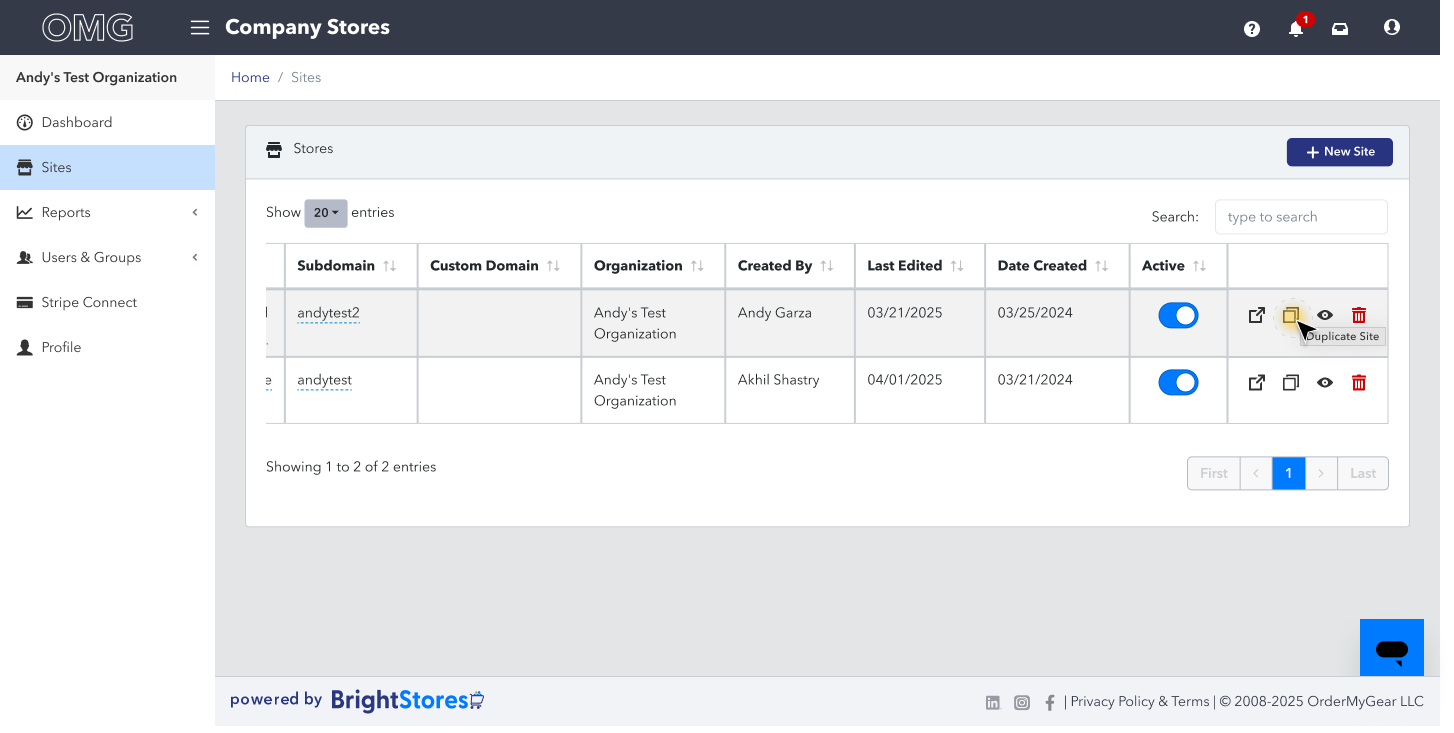
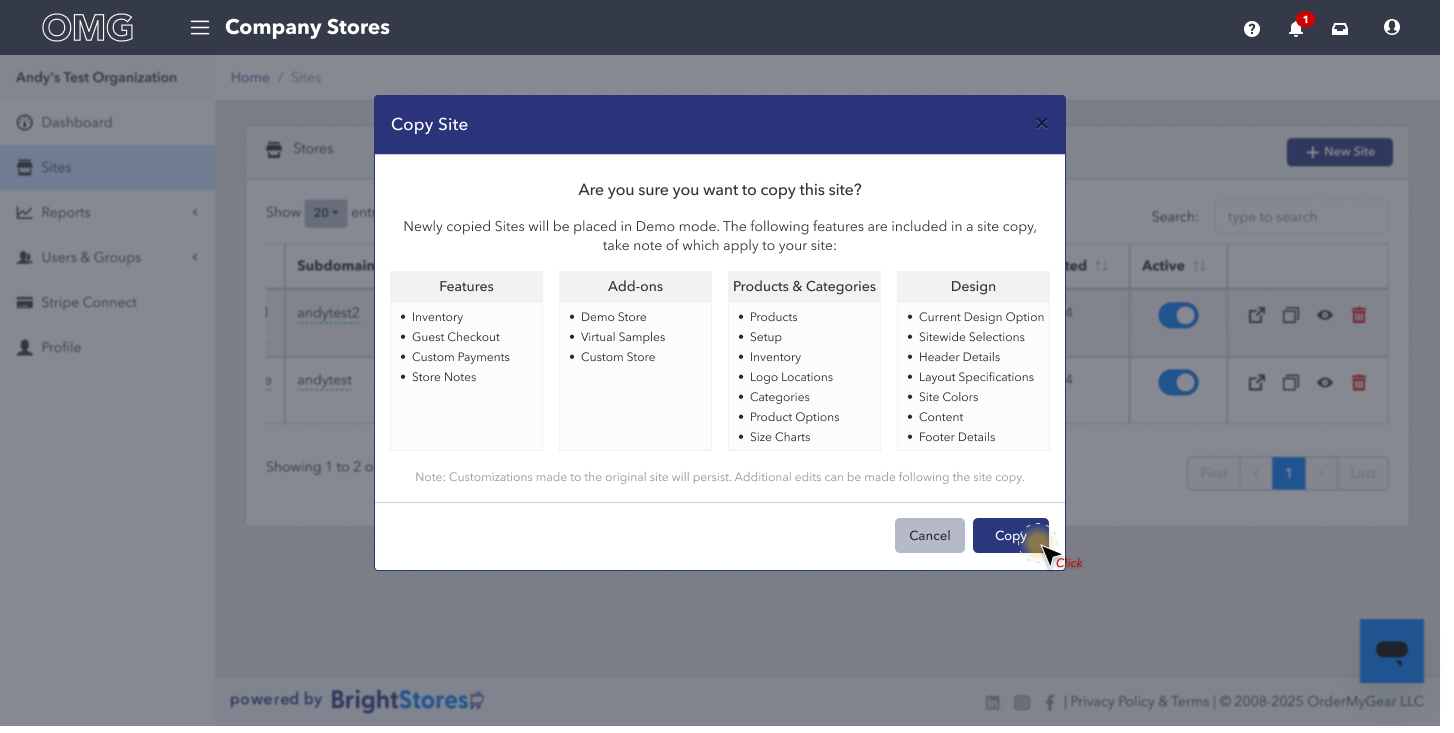
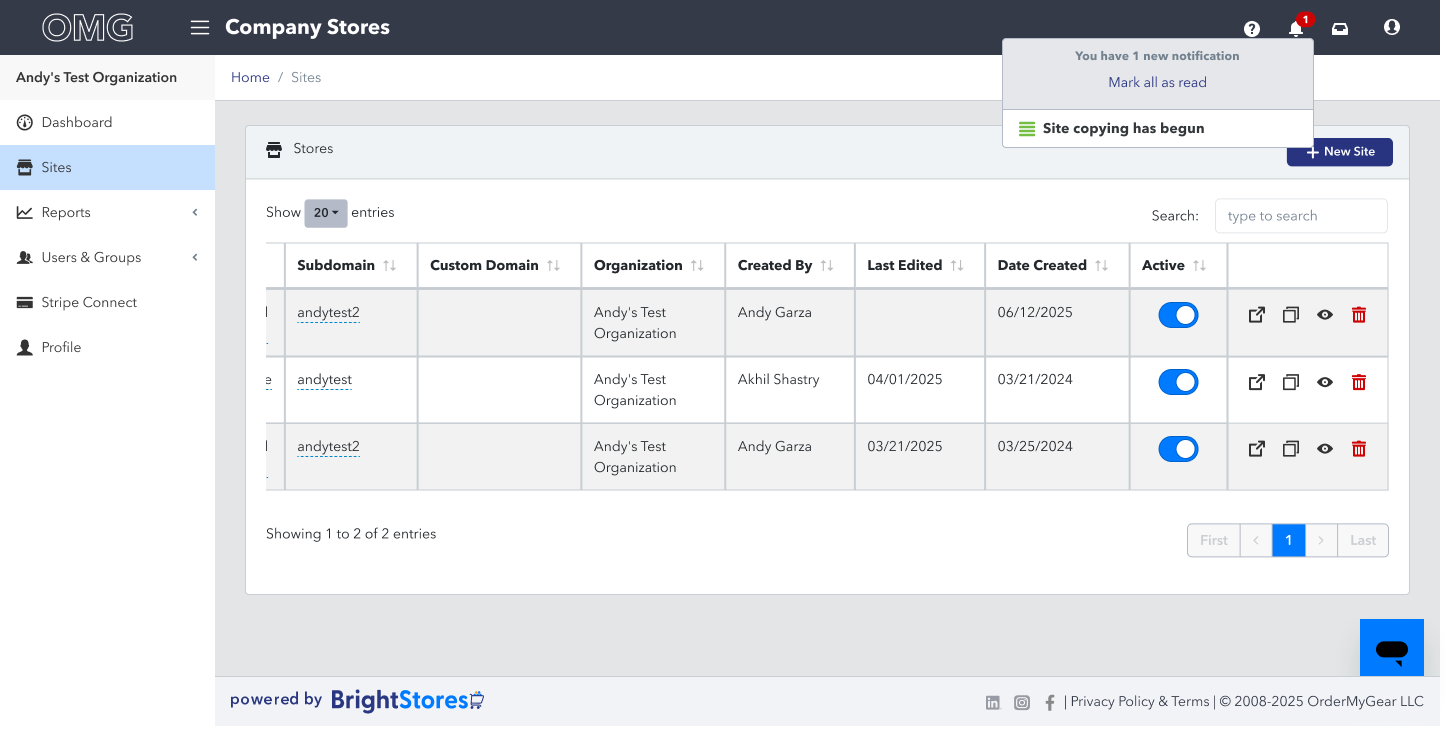
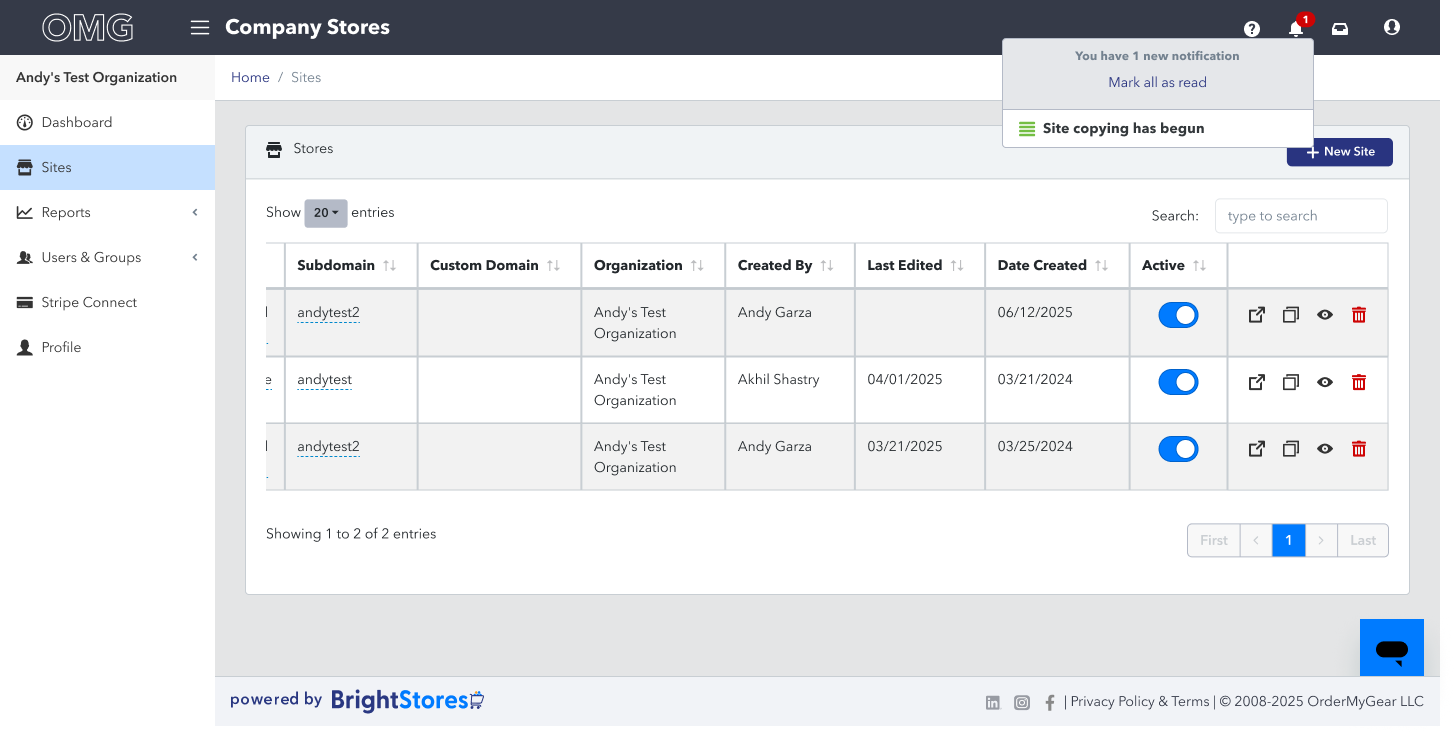
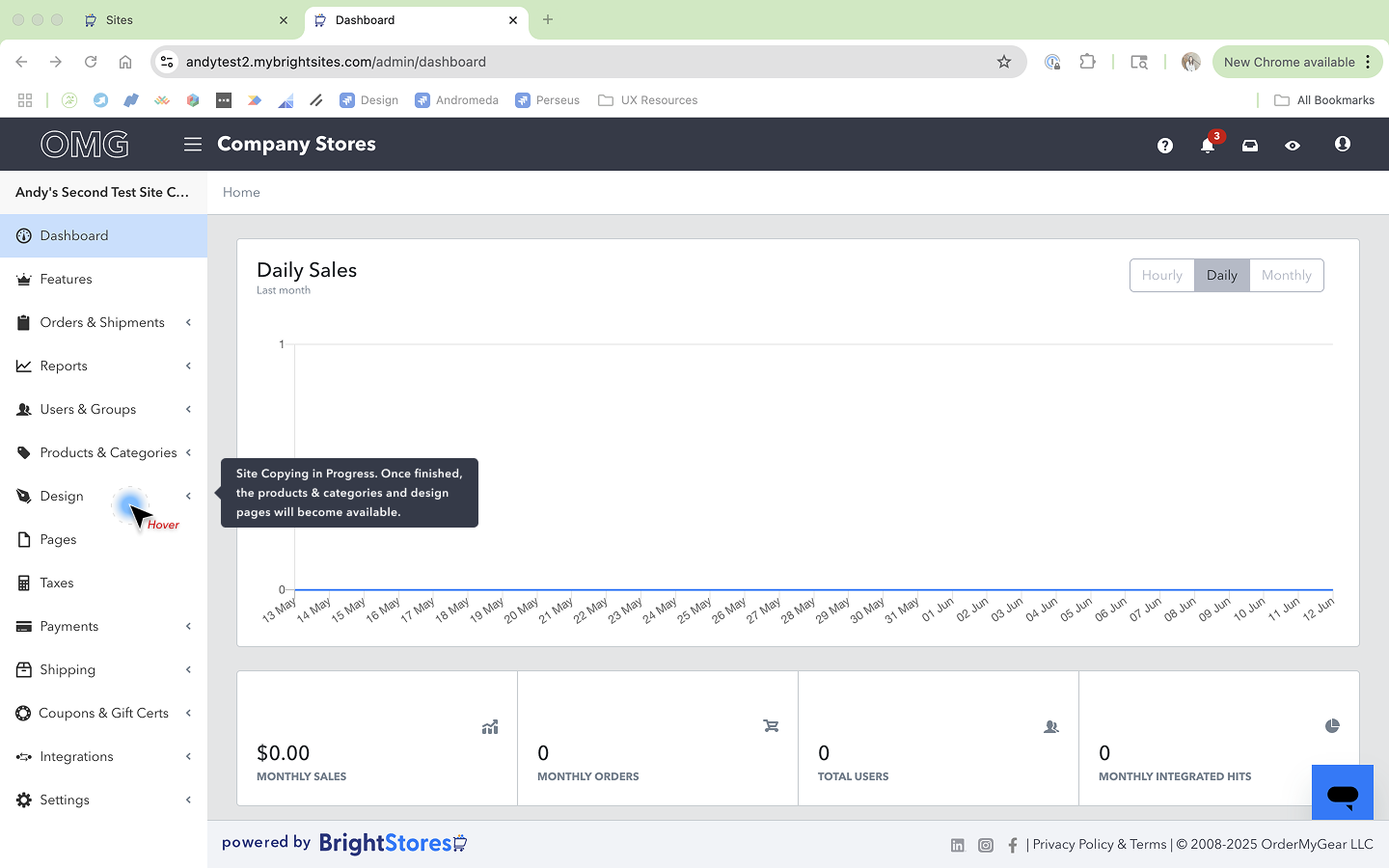
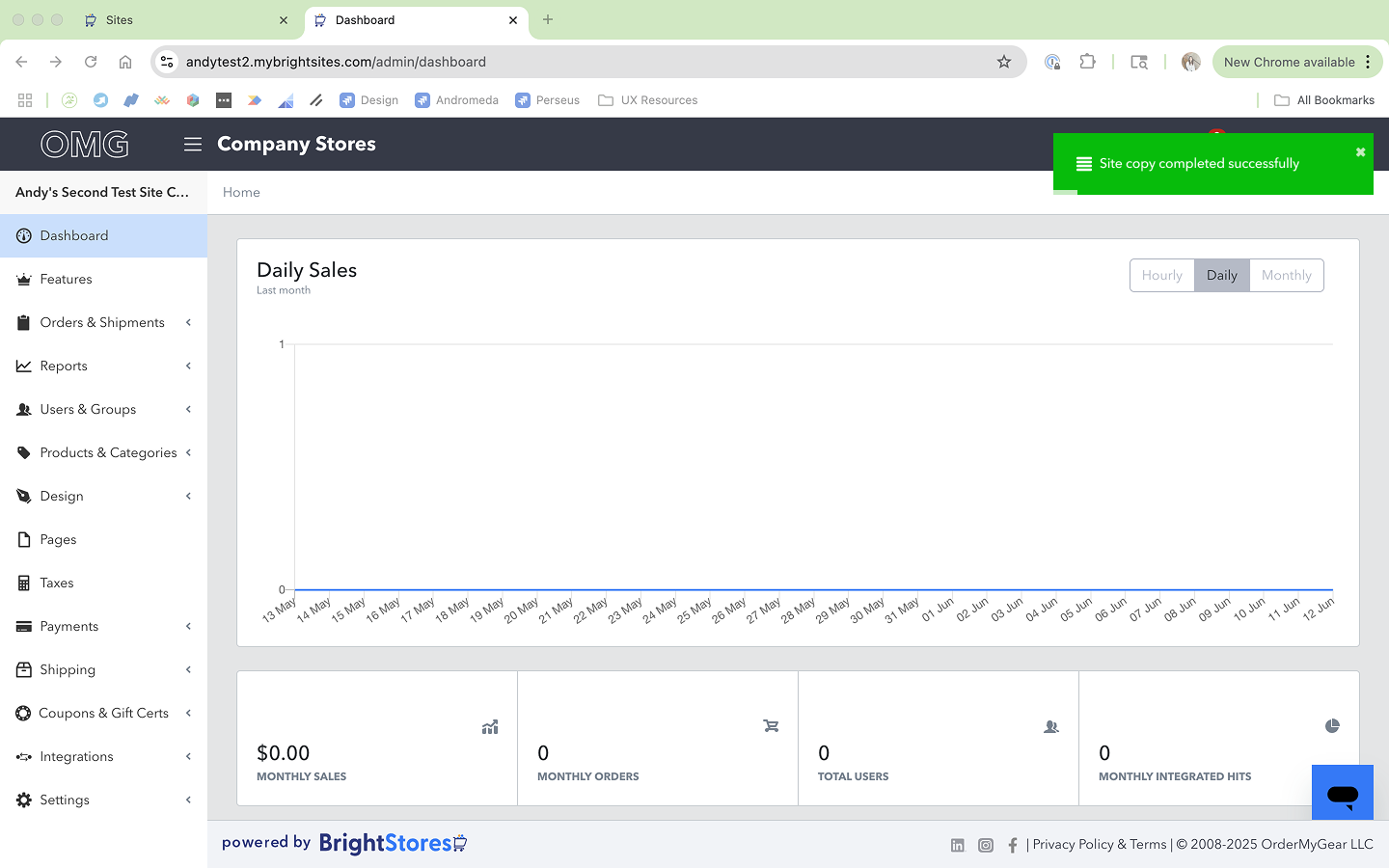
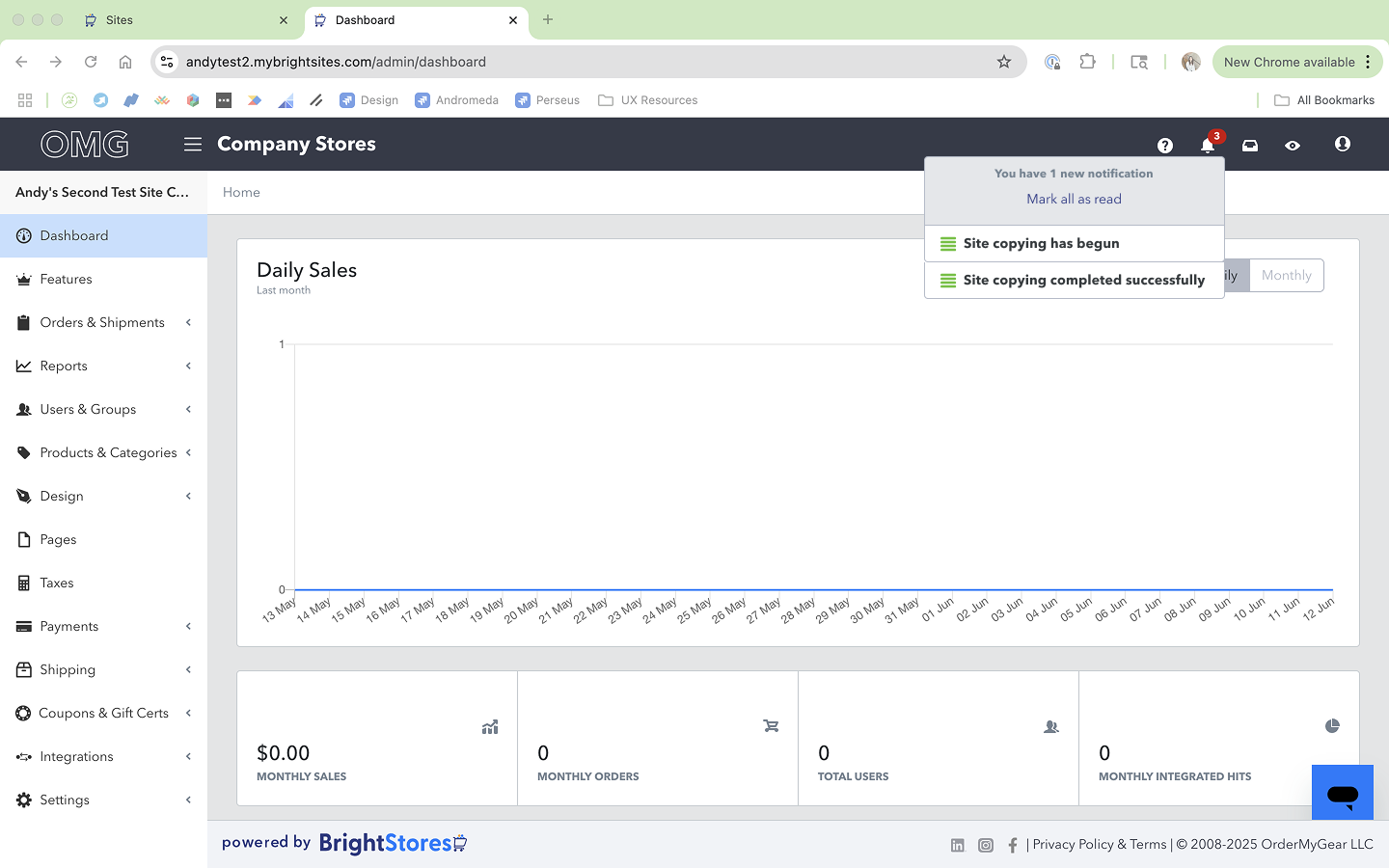
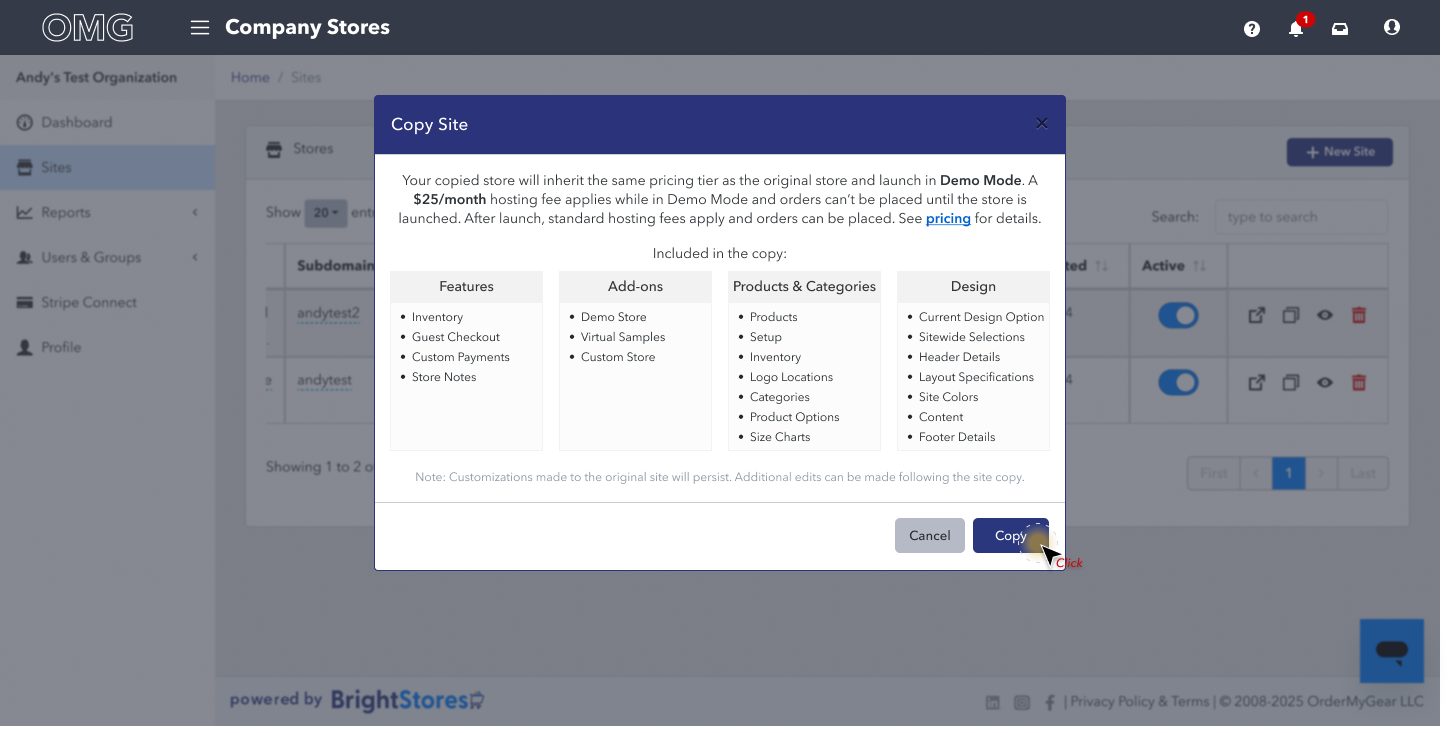
During user interviews, we asked users where they might imagine they would navigate to copy their store. The resounding response from both internal users and clients, was the “Sites table”. On the Sites page, users already had icon buttons that allowed them to manage admin permissions, delete their site, and preview their site. Naturally, users felt that the ability to copy their site would be nestled amongst these features. We moved forward with this location since it leveraged a behavior known to users. Another repeated concern from users was ensuring that they would be warned before a store copy was initiated and transparency regarding any costs they would be incurring. We determined that upon copy, users would see a modal that details exactly what is being copied over from their original store, as well as the pricing details. Additionally, to protect against rage-clicking or overwhelming the system, we disabled the “copy store” icon button for all sites until the site copy was completed. Finally, to ensure users could begin working on their newly copied store as quickly as possible, we made the site available upon partial completion- this meant users could edit other areas of their site, excluding the “Products & Categories” and “Design” Pages. These two pages were most often the bulkiest area to copy, so this reduced the perceived amount of time users were waiting for a store copy to complete. When the store copy was fully completed, users would receive a notification that would alert them as such, and upon clicking the notification, the new site would open in a new tab so that users would not lose any work they may currently be working on.
Hand-off
Kick-off Meeting & Annotations
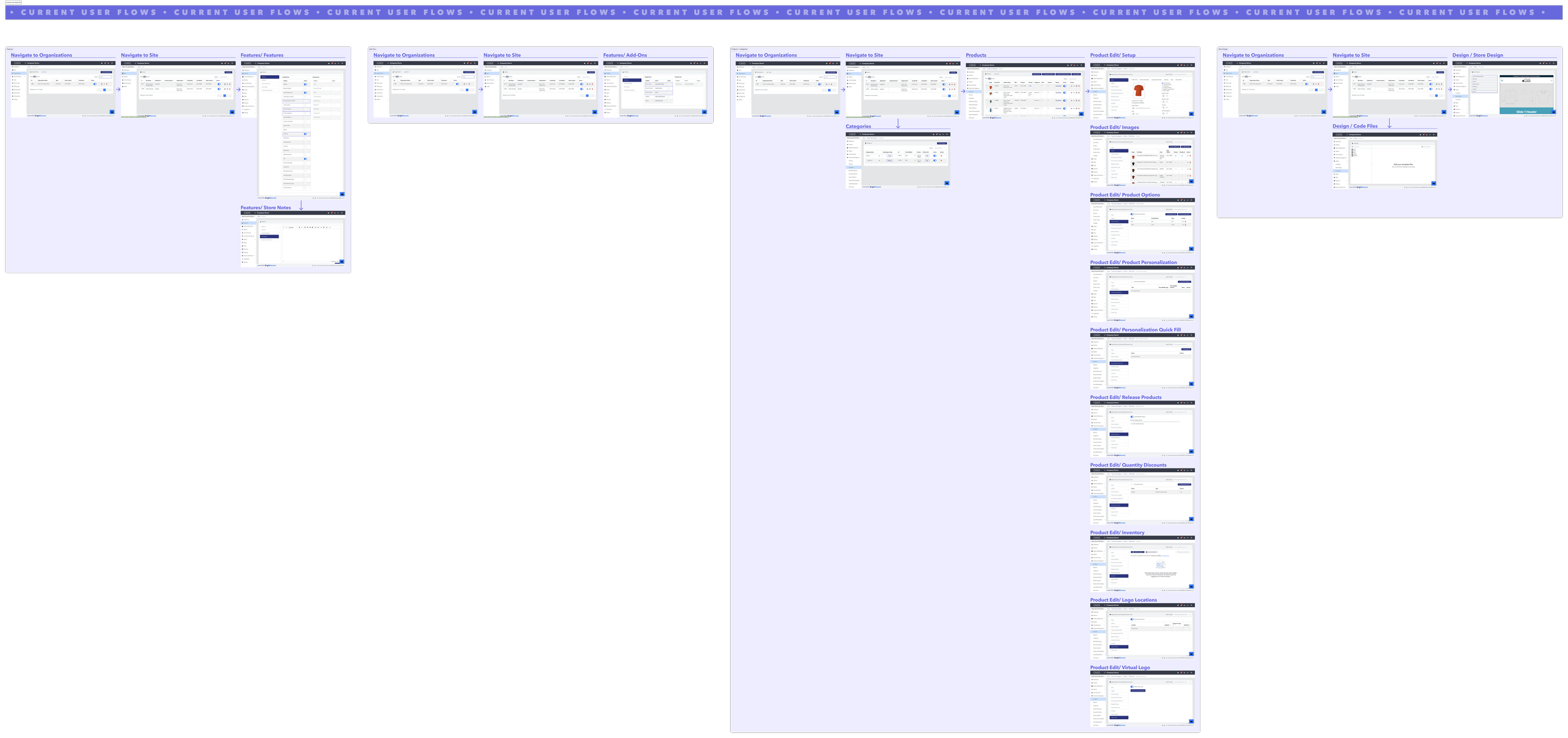
To kick off the Store Copy initiative, I first met with my PM to discuss the results of the internal and client interviews, as well as review my proposed design solution. Following that meeting, we met with the team’s QE and EM to ensure there were no technical limitations that had been overlooked. Finally, we met as a team to relay all of the findings and review the design work. Our team’s PM kicked off the meeting by educating the engineers on our users and how heavily requested this feature was. I then led the remainder of the meeting by relaying the information gathered from the user interviews, and how those findings ultimately informed the solution. I provided the engineers with a Confluence document that summed up the research findings, as well as Figma that was annotated for their review.

Outcome
Upon launch of the copy store feature, we quickly received feedback from both internal stake-holders and clients who were thrilled at how quickly they were now able to get stores up and running. This led to an interesting finding- users were now creating “template” stores from which they were adding commonly used products, customizing to a minimal degree, and copying as needed to more quickly get stores up and running.
Client Feeback
Following the launch of Store Copy, we began to consider potential enhancements. We recognized that greater customization would be beneficial to users, we determined that a second phase enhancement would include allowing users to select/deselect exactly which elements of a store they’d like to be copied over. For internal users, we began working on the ability to copy stores from one organization to another. This was especially helpful for users whose business have been transferred to a new account, or have been acquired by another company.
Enhancments and Next Steps